Module 06: Databases with Amazon RDS and DynamoDB
Learning Objectives
By the end of this module, you will be able to:
- Demonstrate the differences between managed and self-managed databases on AWS, and between relational and NoSQL database models
- Configure an Amazon Relational Database Service (Amazon RDS) database instance with appropriate instance class, storage, and engine settings
- Set up an RDS Multi-AZ deployment for high availability with automatic failover
- Implement RDS read replicas to scale read-heavy workloads and enable cross-Region replication
- Configure RDS automated backups with a defined retention period and use point-in-time recovery to restore data
- Deploy an Amazon DynamoDB table with an appropriate primary key schema and Global Secondary Indexes (GSIs) for alternate query patterns
- Use DynamoDB on-demand and provisioned capacity modes based on workload characteristics
- Implement database security controls including encryption at rest, encryption in transit, VPC placement, and IAM database authentication
Prerequisites
- Completion of Module 02: Identity and Access Management (IAM) and Security (IAM roles and policies for database authentication and access control)
- Completion of Module 03: Networking Basics (VPC) (VPCs, private subnets, and security groups for database network placement)
- Completion of Module 04: Compute with Amazon EC2 (EC2 instances for connecting to and testing database connectivity)
- An AWS account with console access (free tier is sufficient for RDS Single-AZ
db.t3.microinstances)
Concepts
Database Landscape on AWS
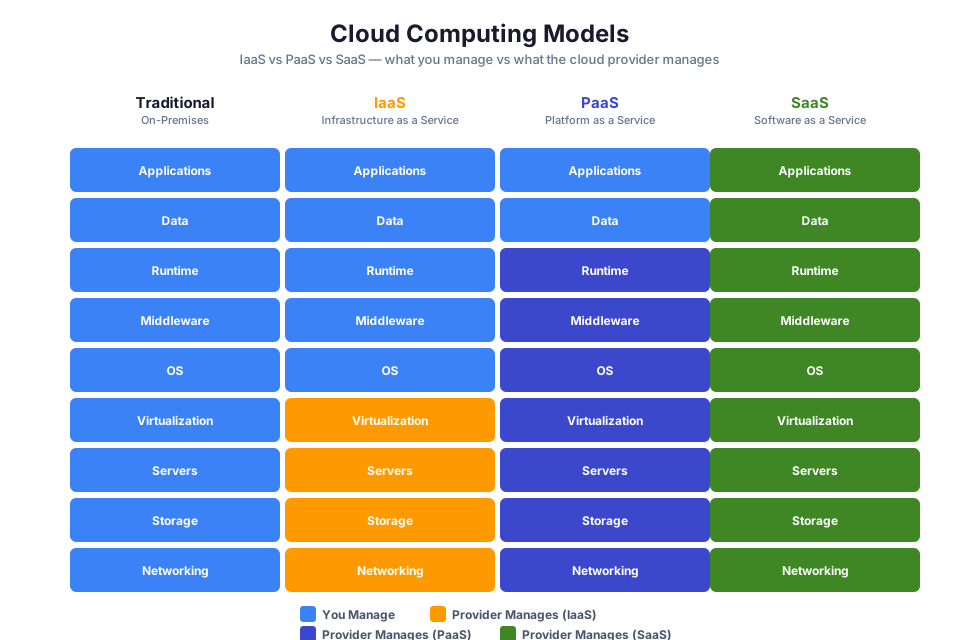
AWS offers more than a dozen purpose-built database services. Before choosing a database, you need to understand two fundamental distinctions: managed versus self-managed, and relational versus NoSQL.
Managed vs. Self-Managed Databases
A self-managed database runs on an Amazon EC2 instance that you provision and maintain yourself. You are responsible for installing the database software, applying patches, configuring backups, managing replication, and handling failover. This gives you full control over the database engine and operating system, but it requires significant operational effort.
A managed database service, such as Amazon RDS or Amazon DynamoDB, offloads the repetitive infrastructure work to AWS. Provisioning, patching, backups, recovery, and scaling all happen without your intervention. You spend your time on schema design and query optimization rather than on operating system updates and disk management.
| Responsibility | Self-Managed (EC2) | Managed (RDS) | Fully Managed (DynamoDB) |
|---|---|---|---|
| Hardware and OS | You manage | AWS manages | AWS manages |
| Database installation | You install | AWS provides | Not applicable (serverless) |
| Patching | You patch | AWS patches (with maintenance window) | AWS patches transparently |
| Backups | You configure | AWS automates | AWS automates |
| High availability | You build | AWS provides (Multi-AZ) | Built in |
| Scaling | You resize | You resize (with downtime) | Automatic (on-demand mode) |
Relational vs. NoSQL
Relational databases organize data into tables with rows and columns. They enforce a fixed schema, support complex queries using Structured Query Language (SQL), and maintain data integrity through relationships and constraints. Amazon RDS and Amazon Aurora are relational database services on AWS.
NoSQL databases use flexible data models such as key-value pairs, documents, graphs, or wide columns. They do not require a fixed schema and are designed for high throughput and horizontal scalability. Amazon DynamoDB is a NoSQL database service on AWS.
| Characteristic | Relational (SQL) | NoSQL (DynamoDB) |
|---|---|---|
| Data model | Tables with rows and columns | Key-value pairs, documents |
| Schema | Fixed, defined upfront | Flexible, per-item attributes |
| Query language | SQL | API-based (GetItem, Query, Scan) |
| Relationships | Foreign keys, joins | Denormalized, embedded data |
| Scaling | Vertical (larger instance) | Horizontal (partitioning) |
| Best for | Complex queries, transactions, reporting | High-throughput, low-latency, key-based access |
Tip: You do not have to choose one or the other. Many production architectures use both relational and NoSQL databases, each handling the workload it is best suited for.
Amazon RDS: Managed Relational Databases
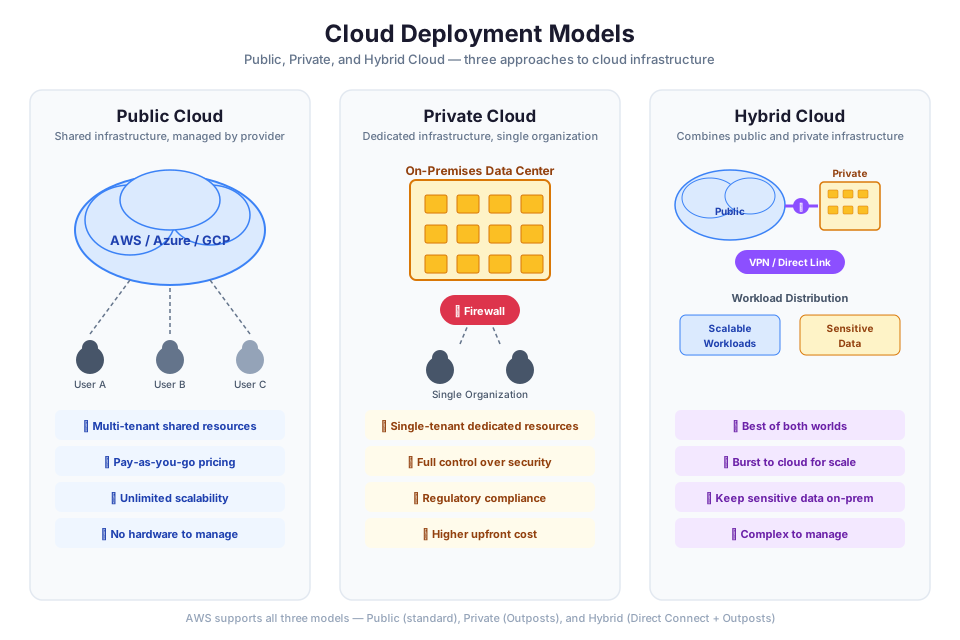
Amazon Relational Database Service (Amazon RDS) takes the operational burden off your plate when running relational databases. Instead of spending hours on patching, backup configuration, and failover setup, you hand those tasks to AWS and invest that time in your application logic. Think of it as hiring a dedicated database administrator who never sleeps and never forgets a maintenance window.
Supported Database Engines
RDS supports six database engines:
- Amazon Aurora (MySQL-compatible and PostgreSQL-compatible)
- MySQL
- PostgreSQL
- MariaDB
- Oracle Database
- Microsoft SQL Server
Amazon Aurora is an AWS-built engine that is compatible with MySQL and PostgreSQL. It provides up to five times the throughput of standard MySQL and up to three times the throughput of standard PostgreSQL, with a distributed, fault-tolerant storage system that automatically replicates data across three Availability Zones.
DB Instances and Instance Classes
An RDS DB instance is an isolated database environment in the cloud. Each DB instance runs a single database engine and can contain multiple user-created databases. You interact with a DB instance the same way you interact with a standalone database server: through standard database client tools and connection strings.
A DB instance class determines the compute and memory capacity of your DB instance. RDS offers several instance class types optimized for different workloads:
| Instance Class Type | Prefix | Optimized For | Example Use Cases |
|---|---|---|---|
| General purpose | db.m6g, db.m7g | Balanced compute and memory | Web applications, mid-size production databases |
| Memory optimized | db.r6g, db.r7g | Memory-intensive workloads | Large databases, in-memory analytics |
| Burstable performance | db.t3, db.t4g | Variable workloads with occasional spikes | Development, testing, small production databases |
Tip: The
db.t3.microanddb.t4g.microinstance classes are eligible for the AWS Free Tier (750 hours per month for 12 months). Use these for labs and experimentation.
RDS Multi-AZ Deployments
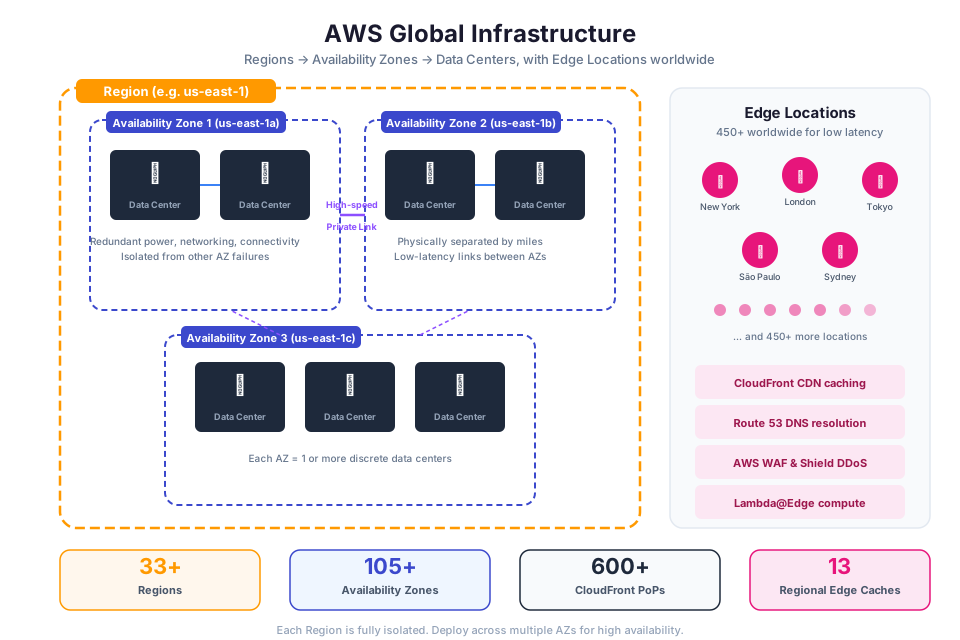
Multi-AZ deployments provide high availability and failover support for RDS DB instances. When you enable Multi-AZ, Amazon RDS automatically creates a synchronous standby replica of your DB instance in a different Availability Zone within the same Region.
How Multi-AZ Works
In a Multi-AZ DB instance deployment, RDS provisions and maintains a standby replica using synchronous replication. Every write to the primary DB instance is simultaneously written to the standby replica before the write is acknowledged to the application. This ensures that the standby has an up-to-date copy of your data at all times.
The standby replica is not accessible for read traffic. Its sole purpose is to provide a failover target. If the primary instance fails, RDS automatically promotes the standby to become the new primary. The failover process typically completes within one to two minutes. Your application connects to the database using a DNS endpoint that RDS automatically updates to point to the new primary instance.
When Failover Occurs
RDS initiates an automatic failover in the following situations:
- The primary DB instance fails (hardware or software failure)
- The Availability Zone hosting the primary instance experiences an outage
- The primary instance's operating system is being patched during a maintenance window
- You manually trigger a failover (for example, to test your application's failover behavior)
In Module 03, you learned about deploying resources across multiple Availability Zones for fault tolerance. Multi-AZ for RDS applies the same principle to your database tier: if one AZ goes down, your database remains available in the other AZ.
Warning: Multi-AZ deployments incur additional charges because you are running two DB instances. However, for production databases, the cost is justified by the high availability guarantee.
RDS Read Replicas
Read replicas provide a way to scale read-heavy database workloads beyond the capacity of a single DB instance. A read replica is a read-only copy of your primary DB instance that receives data through asynchronous replication.
How Read Replicas Work
When you create a read replica, RDS takes a snapshot of the primary DB instance and creates a new instance from that snapshot. After the initial copy, RDS uses the database engine's native asynchronous replication to keep the read replica up to date with changes on the primary instance.
Because replication is asynchronous, there is a small delay (called replica lag) between when data is written to the primary and when it appears on the read replica. For most applications, this lag is measured in seconds.
Read Replicas vs. Multi-AZ
These two features serve different purposes and can be used together:
| Feature | Multi-AZ | Read Replica |
|---|---|---|
| Purpose | High availability and failover | Read scaling and offloading |
| Replication | Synchronous | Asynchronous |
| Readable | No (standby only) | Yes (serves read traffic) |
| Cross-Region | No (same Region, different AZ) | Yes (can create in another Region) |
| Automatic failover | Yes | No (manual promotion required) |
| Number allowed | 1 standby | Up to 15 (Aurora), 5 (other engines) |
Cross-Region Read Replicas
You can create read replicas in a different AWS Region from the primary DB instance. Cross-Region read replicas are useful for:
- Disaster recovery. If the primary Region becomes unavailable, you can promote the cross-Region read replica to a standalone DB instance.
- Latency reduction. Place a read replica closer to your users in another Region to reduce read latency.
- Migration. Use a cross-Region read replica to migrate your database to a different Region with minimal downtime.
Tip: You can combine Multi-AZ and read replicas. Enable Multi-AZ on your primary instance for high availability, and create read replicas to scale read traffic. You can also enable Multi-AZ on a read replica for additional protection.
RDS Automated Backups
Amazon RDS automated backups provide point-in-time recovery for your DB instance. RDS automatically creates a storage volume snapshot of your entire DB instance (not just individual databases) during a daily backup window that you configure.
Retention Period
The backup retention period determines how long RDS keeps automated backups. You can set the retention period to any value between 1 and 35 days. The default is 7 days. Setting the retention period to 0 disables automated backups entirely (not recommended for production).
Point-in-Time Recovery
RDS combines automated backups with transaction logs to enable point-in-time recovery. You can restore your DB instance to any second within the retention period, up to the latest restorable time (typically within the last five minutes). Point-in-time recovery creates a new DB instance; it does not restore to the existing instance.
Manual Snapshots
In addition to automated backups, you can create manual DB snapshots at any time. Manual snapshots are not subject to the retention period and persist until you explicitly delete them. Use manual snapshots before making significant changes to your database (such as schema migrations or major application deployments).
aws rds create-db-snapshot \
    --db-instance-identifier my-database \
    --db-snapshot-identifier my-database-snapshot-2024-01-15
Expected output:
{
    "DBSnapshot": {
        "DBSnapshotIdentifier": "my-database-snapshot-2024-01-15",
        "DBInstanceIdentifier": "my-database",
        "Status": "creating",
        "Engine": "postgres",
        "AllocatedStorage": 20
    }
}
Tip: Automated backups are stored in Amazon S3 (managed by AWS; you do not see them in your S3 buckets). The first full backup and subsequent transaction logs are stored at no additional charge up to the size of your provisioned database storage.
Amazon DynamoDB: Key-Value and Document Database
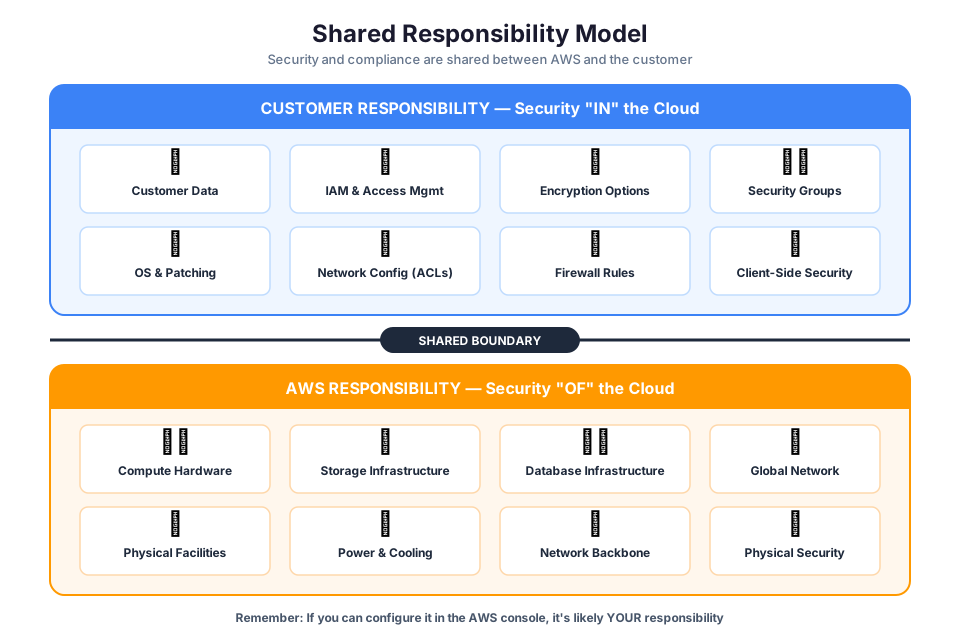
Amazon DynamoDB is a NoSQL database built for speed and scale. Response times stay in the single-digit millisecond range whether your table holds 1,000 items or 100 million. Unlike RDS, there are no instances to size or servers to maintain. You create a table, define its primary key, and start reading and writing data immediately.
DynamoDB supports two data models:
- Key-value. Each item is identified by a unique key and contains a value (which can be a simple scalar or a complex nested structure).
- Document. Items can contain nested attributes, lists, and maps, similar to JavaScript Object Notation (JSON) documents.
Tables, Items, and Attributes
The core components of DynamoDB are tables, items, and attributes:
- Table. A collection of items. A DynamoDB table is similar to a table in a relational database, but it does not enforce a fixed schema beyond the primary key.
- Item. A single data record in a table. Each item is uniquely identified by its primary key. An item is similar to a row in a relational table, but different items in the same table can have different attributes.
- Attribute. A fundamental data element within an item. An attribute is similar to a column in a relational table. DynamoDB supports scalar types (string, number, binary, Boolean, null), document types (list, map), and set types (string set, number set, binary set).
Here is an example of creating a DynamoDB table using the AWS CLI:
aws dynamodb create-table \
    --table-name Music \
    --attribute-definitions \
        AttributeName=Artist,AttributeType=S \
        AttributeName=SongTitle,AttributeType=S \
    --key-schema \
        AttributeName=Artist,KeyType=HASH \
        AttributeName=SongTitle,KeyType=RANGE \
    --billing-mode PAY_PER_REQUEST
DynamoDB Primary Keys
Every DynamoDB table requires a primary key that uniquely identifies each item. DynamoDB supports two types of primary keys:
Partition Key (Simple Primary Key)
A partition key is a single attribute that DynamoDB uses to distribute data across partitions. Each item in the table must have a unique partition key value. DynamoDB uses the partition key value as input to an internal hash function, and the output determines the physical partition where the item is stored.
For example, a Users table might use UserId as the partition key. Each user has a unique UserId, so each item maps to a specific partition.
Composite Key (Partition Key + Sort Key)
A composite primary key consists of two attributes: a partition key and a sort key. Multiple items can share the same partition key value, but the combination of partition key and sort key must be unique. Items with the same partition key are stored together and sorted by the sort key value.
For example, a Music table might use Artist as the partition key and SongTitle as the sort key. This allows you to store multiple songs per artist and query all songs by a specific artist efficiently.
| Primary Key Type | Attributes | Uniqueness | Query Capability |
|---|---|---|---|
| Partition key only | 1 (partition key) | Partition key must be unique per item | Retrieve a single item by exact key |
| Composite key | 2 (partition key + sort key) | Combination must be unique per item | Retrieve all items with a given partition key; filter or sort by sort key |
Tip: Choose a partition key with high cardinality (many distinct values) to distribute data evenly across partitions. Poor partition key choices (such as a status field with only a few possible values) create "hot partitions" that limit throughput.
DynamoDB Global Secondary Indexes (GSIs)
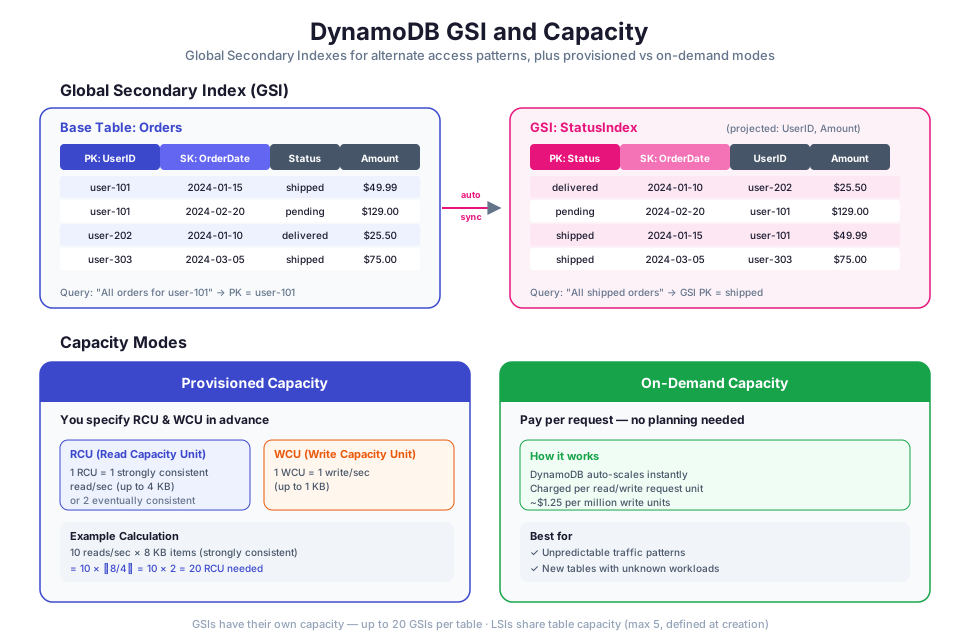
A Global Secondary Index (GSI) lets you query a DynamoDB table using an alternate key, different from the table's primary key. Without a GSI, you can only query data efficiently using the table's partition key (and optionally the sort key). A GSI gives you a completely different partition key and optional sort key for querying the same data.
How GSIs Work
When you create a GSI, DynamoDB maintains a separate copy of the data from the base table, organized by the GSI's key schema. When you write an item to the base table, DynamoDB automatically propagates the change to all GSIs on that table. Reads from a GSI are eventually consistent.
For example, consider a GameScores table with PlayerId as the partition key and GameId as the sort key. If you want to find the top scores for a specific game (regardless of player), you can create a GSI with GameId as the partition key and Score as the sort key.
Attribute Projections
When you create a GSI, you choose which attributes from the base table to project (copy) into the index:
- KEYS_ONLY. Only the base table's primary key and the GSI's key attributes are projected. This minimizes storage cost.
- INCLUDE. The GSI includes the key attributes plus specific non-key attributes that you specify.
- ALL. All attributes from the base table are projected into the GSI. This maximizes query flexibility but increases storage cost.
Warning: Each GSI consumes additional storage and write capacity. Every write to the base table that affects a projected attribute also writes to the GSI. Design your GSIs around your application's actual query patterns, and avoid creating indexes you do not need.
DynamoDB Capacity Modes
DynamoDB offers two capacity modes that control how you are charged for read and write throughput:
On-Demand Mode
On-demand mode is a flexible, pay-per-request option. DynamoDB automatically scales to accommodate your workload's read and write traffic. You do not need to specify expected throughput in advance. You pay for each read and write request your application performs.
On-demand mode is ideal for:
- New tables with unknown workload patterns
- Applications with unpredictable or spiky traffic
- Workloads where you prefer simplicity over cost optimization
Provisioned Mode
Provisioned mode requires you to specify the number of read capacity units (RCUs) and write capacity units (WCUs) your table needs. You can enable DynamoDB auto scaling to automatically adjust provisioned capacity based on actual traffic patterns, within minimum and maximum bounds that you define.
Provisioned mode is ideal for:
- Tables with predictable, steady-state traffic
- Applications where you want to optimize cost by reserving capacity
- Workloads where you can forecast read and write requirements
Capacity Mode Comparison
| Feature | On-Demand | Provisioned |
|---|---|---|
| Pricing model | Pay per request | Pay per provisioned RCU/WCU per hour |
| Capacity planning | None required | You specify RCUs and WCUs |
| Scaling | Automatic, instant | Auto scaling (with slight delay) or manual |
| Cost efficiency | Higher per-request cost | Lower per-request cost at steady state |
| Best for | Unpredictable traffic, new tables | Predictable traffic, cost optimization |
| Switching | Can switch to provisioned (once per 24 hours) | Can switch to on-demand (once per 24 hours) |
Tip: Start with on-demand mode for new tables. After your traffic patterns stabilize and you can predict your throughput needs, evaluate whether switching to provisioned mode with auto scaling would reduce costs.
SQL vs. NoSQL Decision Framework
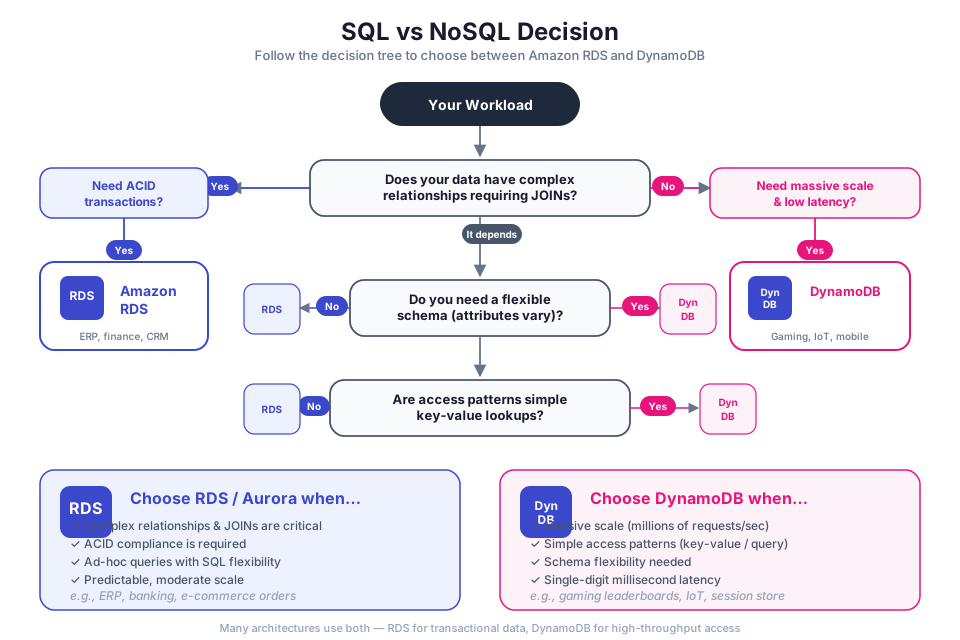
Choosing between Amazon RDS and Amazon DynamoDB depends on your application's data model, query patterns, and scalability requirements. Neither is universally better; each excels in different scenarios.
When to Use Amazon RDS (Relational)
Choose RDS when your application needs:
- Complex queries. SQL supports joins, aggregations, subqueries, and ad-hoc queries across multiple tables.
- Transactions across multiple tables. RDS supports ACID (Atomicity, Consistency, Isolation, Durability) transactions that span multiple tables and rows.
- Fixed schema with referential integrity. Foreign key constraints enforce relationships between tables.
- Reporting and analytics. SQL is well-suited for generating reports that combine data from multiple tables.
When to Use Amazon DynamoDB (NoSQL)
Choose DynamoDB when your application needs:
- Single-digit millisecond latency at any scale. DynamoDB is designed for consistent, low-latency performance regardless of table size.
- High throughput. DynamoDB can handle millions of requests per second.
- Flexible schema. Items in the same table can have different attributes, making it easy to evolve your data model.
- Key-based access patterns. Your queries primarily retrieve items by a known key, rather than performing complex joins or aggregations.
Comparison Table
| Criterion | Amazon RDS | Amazon DynamoDB |
|---|---|---|
| Data model | Relational (tables, rows, columns) | Key-value and document |
| Query flexibility | High (SQL, joins, aggregations) | Limited (primary key, GSI queries, scans) |
| Schema | Fixed, enforced by the engine | Flexible, per-item attributes |
| Transactions | Multi-table ACID transactions | Single-table ACID transactions |
| Scaling | Vertical (larger instance class) | Horizontal (automatic partitioning) |
| Latency | Low (varies with query complexity) | Single-digit milliseconds (consistent) |
| Management | Managed (you choose instance, engine) | Fully managed (serverless) |
| Pricing | Per instance-hour + storage | Per request or per provisioned capacity |
| Best for | Complex queries, reporting, relational data | High-scale, low-latency, key-based access |
Tip: In a real-world architecture, you often use both. For example, you might store user profiles and session data in DynamoDB for fast key-based lookups, while storing order history and financial records in RDS for complex reporting queries.
Database Security
Securing your databases involves multiple layers: controlling network access, encrypting data, and managing authentication. In Module 02, you learned about IAM policies and the principle of least privilege. In Module 03, you learned about VPCs, private subnets, and security groups. Both of these concepts apply directly to database security.
VPC Placement and Network Security
Always place your RDS DB instances in private subnets within your VPC. A private subnet has no route to an internet gateway, which means your database is not directly accessible from the internet. Applications connect to the database through the VPC's internal network.
When you create an RDS DB instance, you assign it to a DB subnet group, which is a collection of subnets (typically private subnets in at least two Availability Zones) where RDS can place the DB instance. You also assign a security group that controls which resources can connect to the database.
A typical security group configuration for an RDS instance:
| Direction | Protocol | Port | Source | Purpose |
|---|---|---|---|---|
| Inbound | TCP | 5432 (PostgreSQL) | Application server security group | Allow database connections from app servers |
| Inbound | TCP | 3306 (MySQL) | Application server security group | Allow database connections from app servers |
| Outbound | All | All | 0.0.0.0/0 | Allow all outbound traffic |
DynamoDB is a regional service that you access through AWS API endpoints. It does not run inside your VPC by default. To keep DynamoDB traffic within the AWS network and avoid traversing the public internet, create a VPC endpoint for DynamoDB. A VPC endpoint is a gateway that you add to your VPC's route table, allowing your private subnet resources to communicate with DynamoDB without a NAT gateway or internet gateway.
Encryption at Rest
Amazon RDS encryption uses AWS Key Management Service (AWS KMS) to encrypt the underlying storage of your DB instance, automated backups, read replicas, and snapshots. Encryption is transparent to your application; there is no performance penalty on current-generation instance types. You enable encryption when you create the DB instance. You cannot encrypt an existing unencrypted DB instance directly; instead, create an encrypted snapshot and restore from it.
DynamoDB encryption at rest is enabled by default on all tables. DynamoDB encrypts all data at rest using encryption keys managed by AWS KMS. You can choose between three key types:
- AWS owned key. Default option. AWS manages the key entirely. No additional cost.
- AWS managed key. A KMS key in your account, managed by AWS. Visible in the KMS console. Charges apply.
- Customer managed key. A KMS key that you create and manage. Gives you full control over key rotation and access policies. Charges apply.
Encryption in Transit
RDS supports Secure Sockets Layer (SSL) and Transport Layer Security (TLS) connections between your application and the DB instance. You can require SSL/TLS connections by setting the rds.force_ssl parameter (PostgreSQL) or using the REQUIRE SSL grant option (MySQL).
DynamoDB API endpoints use HTTPS by default, so all data in transit between your application and DynamoDB is encrypted with TLS.
IAM Database Authentication
IAM database authentication lets you authenticate to your RDS DB instance using IAM roles and policies instead of a database password. When you enable IAM authentication, your application requests a temporary authentication token from AWS Security Token Service (STS) and uses that token as the database password. The token expires after 15 minutes.
Benefits of IAM database authentication:
- No password management. You do not need to store or rotate database passwords.
- Centralized access control. You manage database access through IAM policies, the same way you manage access to other AWS resources.
- Encrypted connections. IAM authentication requires SSL/TLS, so all traffic is encrypted in transit.
In Module 02, you learned about IAM roles for EC2 instances. You can attach an IAM role to an EC2 instance that grants permission to generate RDS authentication tokens. The application running on the EC2 instance then uses the token to connect to the database without storing any credentials on the instance.
For DynamoDB, access control is handled entirely through IAM policies. You create IAM policies that specify which DynamoDB actions (such as dynamodb:GetItem, dynamodb:PutItem, dynamodb:Query) a role or user can perform on which tables. There is no separate database authentication mechanism; IAM is the authentication and authorization layer.
Warning: IAM database authentication for RDS has connection limits. It supports a maximum of 200 new connections per second per DB instance. For high-connection workloads, consider using Amazon RDS Proxy to pool and manage connections.
Instructor Notes
Estimated lecture time: 90 minutes
Common student questions:
-
Q: When should I use Aurora instead of standard RDS MySQL or PostgreSQL? A: Aurora provides higher throughput, automatic storage scaling (up to 128 TiB), and up to 15 read replicas with sub-second replica lag. Choose Aurora when you need better performance, higher availability, or more read replicas than standard RDS offers. Standard RDS is sufficient for smaller workloads, development environments, or when you need an engine that Aurora does not support (such as Oracle or SQL Server). See the Aurora overview for a detailed comparison.
-
Q: How do I decide between a partition key only and a composite key for my DynamoDB table? A: Use a partition key only when each item is uniquely identified by a single attribute (for example,
UserIdfor a users table). Use a composite key when you need to store multiple related items under the same partition key and query them together (for example,CustomerIdas partition key andOrderDateas sort key to retrieve all orders for a customer sorted by date). The sort key enables range queries within a partition. See the DynamoDB core components documentation for examples. -
Q: Can I change a DynamoDB table's primary key after creating it? A: No. The primary key schema (partition key and optional sort key) is defined at table creation and cannot be changed. If you need a different key schema, you must create a new table with the desired key and migrate your data. This is why it is critical to design your primary key around your application's access patterns before creating the table. See the NoSQL design for DynamoDB guide for best practices.
-
Q: What happens to my RDS database during a Multi-AZ failover? A: During failover, RDS automatically switches the DNS endpoint to point to the standby instance. Your application experiences a brief interruption (typically one to two minutes) while the DNS propagates. You do not need to change your connection string. Applications should implement retry logic with exponential backoff to handle the brief connectivity gap. See the Multi-AZ deployments documentation for details.
Teaching tips:
- Start by connecting to Module 03's VPC concepts. Draw a VPC with public and private subnets on the whiteboard, then place an RDS instance in the private subnet and an EC2 instance in the public subnet. Show how the security group controls which EC2 instances can connect to the database. This reinforces the networking foundation and shows students why databases belong in private subnets.
- When explaining the difference between Multi-AZ and read replicas, use an analogy: Multi-AZ is like having a backup generator that kicks in automatically when the power goes out (you hope you never need it, but it is there for emergencies). Read replicas are like hiring additional staff to handle customer inquiries during peak hours (they actively serve traffic to reduce the load on the primary).
- For DynamoDB, emphasize the "access patterns first" design approach. In relational databases, you normalize data and then write queries. In DynamoDB, you identify your query patterns first and then design the table schema (partition key, sort key, GSIs) to support those patterns efficiently. Walk through a concrete example, such as an e-commerce application with queries like "get all orders for a customer" and "get all orders for a product."
- Use the capacity mode comparison table as a decision framework. Ask students to identify which mode they would choose for a new startup application with unpredictable traffic (on-demand) versus a mature application with steady, predictable traffic (provisioned with auto scaling).
Pause points:
- After the managed vs. self-managed comparison: ask students to list three operational tasks that RDS handles for them that they would need to do themselves on EC2 (patching, backups, failover).
- After Multi-AZ vs. read replicas: present a scenario where a student's application needs both high availability and read scaling. Ask them to describe the architecture (Multi-AZ primary with read replicas).
- After DynamoDB primary keys: give students a scenario (for example, a chat application) and ask them to design the partition key and sort key for the messages table. Discuss why
ConversationIdas partition key andTimestampas sort key enables efficient retrieval of messages in a conversation. - After the SQL vs. NoSQL decision framework: present two workloads (a financial reporting system and a real-time gaming leaderboard) and ask students which database service they would choose for each and why.
Key Takeaways
- Amazon RDS is a managed relational database service that handles provisioning, patching, backups, and failover. Use it for workloads that require complex SQL queries, multi-table transactions, and referential integrity.
- RDS Multi-AZ provides high availability through a synchronous standby replica with automatic failover. Read replicas provide read scaling through asynchronous replication and can span Regions for disaster recovery.
- Amazon DynamoDB is a serverless NoSQL database that delivers single-digit millisecond response times regardless of table size. Design your table schema around your application's access patterns, not around entity relationships.
- Always place RDS instances in private subnets, enable encryption at rest and in transit, and use IAM database authentication or IAM policies to control access. For DynamoDB, use VPC endpoints to keep traffic off the public internet.
- Use the SQL vs. NoSQL decision framework to choose the right database for each workload. Many production architectures use both RDS and DynamoDB, each handling the access patterns it is best suited for.
AWS Bootcamp: From Novice to Architect Author: Samuel Ogunti License: CC BY-NC 4.0